
Robocalls and scam calls arrive constantly for many older adults. The volume itself creates fatigue, and the occasional convincing fraud attempt raises real risk. At the same time, parents still need to hear from family, doctors, pharmacies, and a short list of trusted numbers. Turning on aggressive blocking can cut off legitimate contact; doing nothing leaves the phone open to constant interruption.
The tools already built into iPhones, Android phones, and most carrier plans can reduce the worst of the problem without isolating anyone. The setup takes less than an hour and can be adjusted later. I have walked parents and adult children through these steps many times. The approach below prioritizes simplicity and keeps the people who matter reachable.

Understanding the Real Goal of Screening
Reduce volume without creating isolation
The purpose is not to make the phone silent. It is to lower the number of unknown and high-risk calls so that legitimate ones stand out. When every ring feels like a potential problem, people either stop answering or become more vulnerable to urgency tactics. Screening restores a calmer baseline.
Keep known contacts completely open
Family members, close friends, doctors, and recurring service numbers should ring normally. Most screening features allow an approved list or automatically pass contacts already stored in the phone. Building that list carefully is the foundation of a workable setup.
Accept that some legitimate unknown calls will be filtered
A doctor’s office calling from a new number or a delivery driver may occasionally hit the screening filter. The trade-off is acceptable for most households because the reduction in scam volume is large. A simple callback habit covers the rare missed legitimate call.
Focus on tools the parent can understand and maintain
Complex third-party apps often create more confusion than help. Built-in features and carrier tools are usually sufficient and easier to troubleshoot later. Choose the simplest combination that produces a noticeable drop in unwanted calls.
iPhone Screening Options That Work for Most Parents
Silence Unknown Callers as the primary filter
This setting sends numbers not in Contacts or recent outgoing calls straight to voicemail. It is the single most effective built-in control for many older iPhone users. Enable it in Phone settings and explain that known people will still ring while strangers go to voicemail.
Keep the Contacts list current and complete
Before turning on Silence Unknown Callers, review the Contacts app with the parent. Add family, doctors, pharmacy, frequent services, and any other numbers that should always ring. A complete list prevents the filter from catching people who matter.
Use Focus or Do Not Disturb schedules carefully
A nighttime Focus that allows only selected contacts can reduce late calls. Avoid broad Do Not Disturb schedules during the day unless the parent specifically wants them. Overly aggressive Focus settings can hide important daytime calls.
Check Visual Voicemail so filtered calls are still visible
Once unknown callers are silenced, make sure the parent knows how to check Visual Voicemail. A quick daily glance catches the rare legitimate message left by a new number. Teaching this habit prevents important calls from being permanently missed.
Android Screening Tools and Carrier Features
Turn on the built-in Spam and Call Screen features
Most recent Android phones offer a spam filter and, on some devices, an automatic Call Screen that answers unknown numbers with a Google assistant. Enable both. The spam filter blocks many robocalls outright; Call Screen gives the parent a transcript or summary before deciding to pick up.
Add important numbers to the Contacts app
As with iPhone, a complete Contacts list ensures known people bypass filters. Sit with the parent and enter or update family, medical, and service numbers. The more complete the list, the fewer legitimate calls are interrupted.
Explore the carrier’s free spam-blocking tools
Major carriers provide their own spam and robocall blocking, often free and manageable from a parent’s account or a family account. Activating the carrier layer adds protection that works even if the phone’s own settings are later changed. Check the carrier app or website for the exact name of the feature.
Review blocked and spam lists periodically
Once a month, glance at the numbers the phone or carrier has filtered. Occasionally a legitimate number is misclassified. Moving it to Contacts restores normal ringing. A short review keeps the system accurate without daily attention.
Building the Approved Contact List Together
Start with immediate family and frequent callers
Begin with the people the parent talks to most—children, grandchildren, siblings, and close friends. Add these first so the core network is protected before broader screening is enabled. The parent should feel confident that the most important voices still come through.
Include medical and service numbers that change rarely
Doctors’ offices, pharmacies, insurance providers, and regular service companies belong on the list. Even if the exact extension varies, the main numbers should be stored. This reduces the chance that a routine appointment reminder is filtered.
Decide how new numbers will be added later
Agree on a simple process: the parent texts or calls an adult child with any new number that should be approved, or they review new numbers together once a week. A clear process prevents the list from stagnating and keeps screening effective.
Remove outdated or rarely used numbers
An overcrowded Contacts list makes maintenance harder. Delete numbers that are no longer relevant. A cleaner list is easier for the parent to navigate and reduces the chance of mistakes when screening is active.

Handling the Occasional Missed Legitimate Call
Teach a simple callback habit for voicemail from unknown numbers
When a voicemail arrives from a number not in Contacts, the parent can call back only after verifying the number independently—looking it up on a bill, an official website, or through a known family member. Never call back a number left in a high-pressure message.
Keep a short written list of key verified numbers
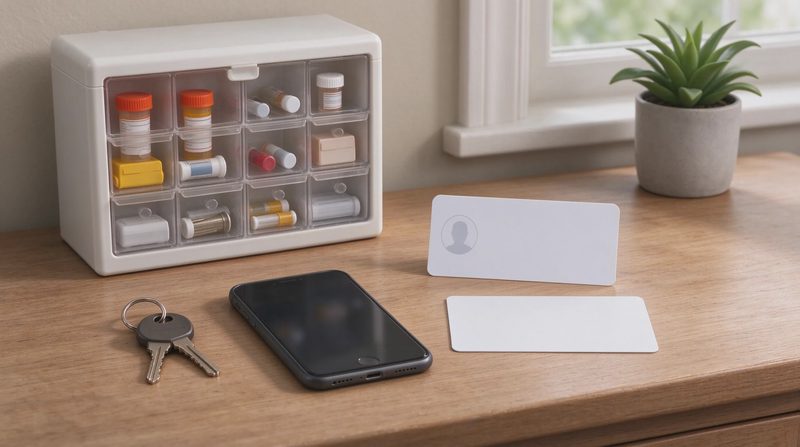
A paper card with the main doctor, pharmacy, and family numbers remains useful even after digital screening is in place. If the phone is locked or the battery is low, the card still provides a way to reach important people.
Adjust screening if a pattern of missed calls appears
If the parent regularly misses calls from a particular clinic or service, add those numbers to Contacts or create a temporary exception. Screening settings are not permanent; they can be refined as real usage patterns become clear.
Reassure the parent that filtering is working as intended
Some older adults worry that every silenced call might have been important. A brief weekly review of the voicemail and spam lists often shows that the large majority were unwanted. Seeing the volume of blocked calls builds confidence in the system.
Comparing the Main Screening Approaches
Tool | Platform | What It Does | Best Starting Point |
|---|---|---|---|
Silence Unknown Callers | iPhone | Sends non-contacts to voicemail | Yes for most iPhone users |
Spam filter + Call Screen | Android | Blocks spam, screens unknowns | Yes for most Android users |
Carrier spam blocking | All major carriers | Network-level filtering | Add as second layer |
Third-party call-blocking apps | Both | Extra rules and lists | Usually unnecessary at start |
This table shows that the built-in and carrier tools cover the majority of needs. Most families can achieve a large reduction in unwanted calls without installing additional software.
Maintaining the Setup Over Time
Schedule a short check-in every few months
Phone software updates occasionally reset or alter screening settings. A quarterly glance confirms that Silence Unknown Callers or the Android spam filter is still active and that the Contacts list remains accurate. The check takes only a few minutes.
Update the Contacts list when life changes
New doctors, moved family members, or changed service providers should be added promptly. An outdated list is the most common reason legitimate calls begin to be filtered. Keeping the list current preserves both protection and accessibility.
Watch for new scam patterns that bypass simple filters
Some scammers spoof local numbers or use numbers that look familiar. Screening reduces volume but does not eliminate every risk. Continue to remind the parent of the core rule: never share personal information or send money based on an unexpected call.
Keep the adult child’s number easy to reach
If the parent ever feels uncertain about a call, they should be able to reach an adult child quickly for a second opinion. Make sure that number is stored, favorited, and familiar. A fast family check often prevents a costly mistake.


No comments yet — be the first to share a thought.